 MoyMote
Your monitor.
Under your control.
A private local bridge between your phone, Windows PC and monitor. Adjust brightness, blue light, HDR and power without touching the monitor's own menus.
Built around three simple ideas
No hidden menus, no re-typed settings, no guessing which button does what.
Control from anywhere in the room
Use your phone as a private local remote for your monitor — no getting up to reach the buttons.
Comfort for every hour
Balance brightness and blue light without opening your monitor's on-screen menus.
Your settings, remembered
Save modes for work, movies, games and night use, and switch between them in one tap.
How it works
Three steps, no account, nothing leaves your local network.
Install MoyMote on Windows
MoyMote runs quietly on your PC and talks to your monitor over DDC/CI.
Scan the QR code with your phone
Your phone connects to MoyMote directly over your local network.
Control your monitor instantly
Brightness, blue light, HDR, power — from your desktop or your phone.
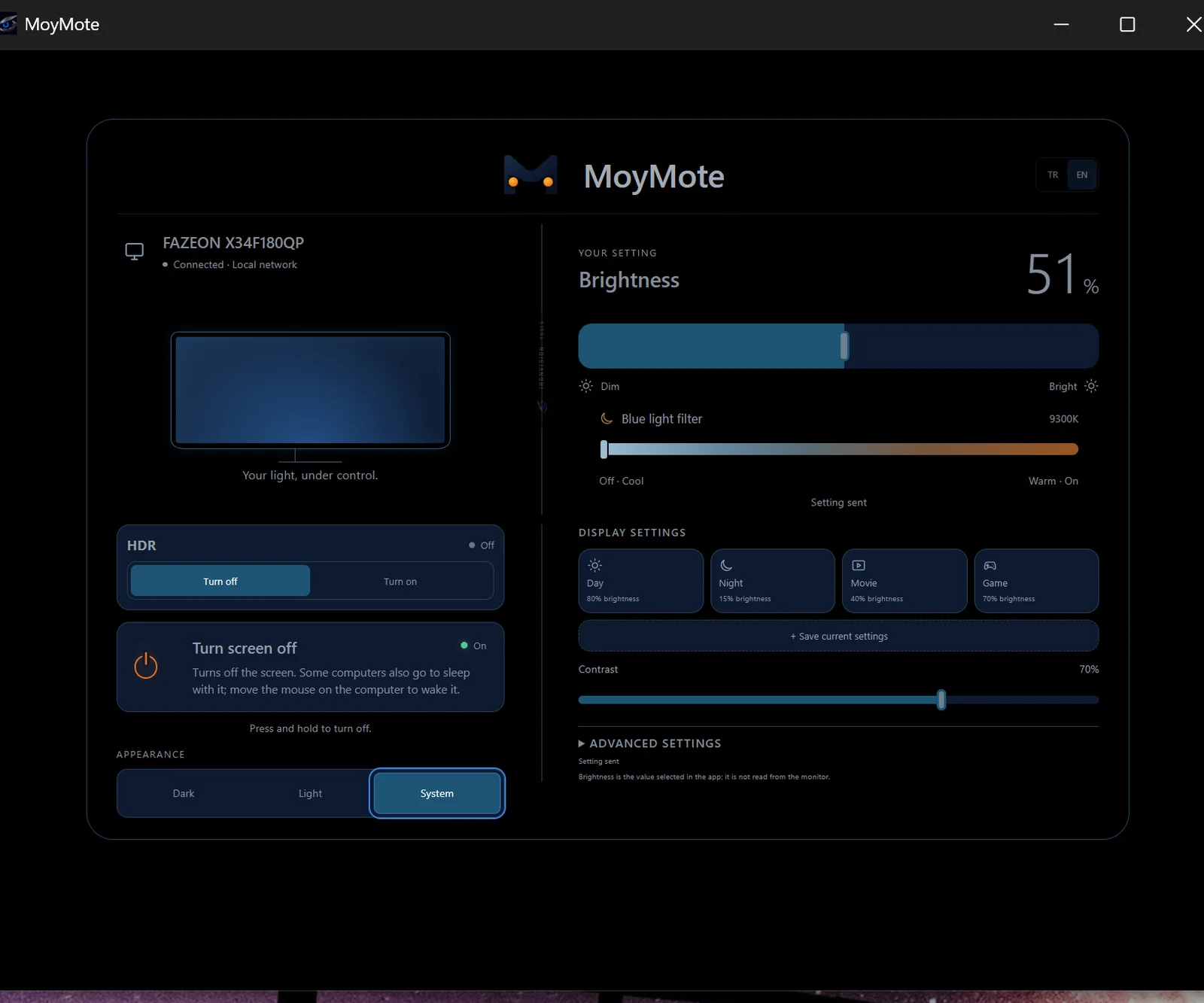
Real controls, real screenshots
Every screen below is MoyMote running against a real monitor — nothing staged.
Brightness & blue light, without the monitor menu
Drag a slider instead of hunting through your monitor's on-screen buttons.
- Brightness control
- Blue light filter, from cool to warm
- HDR status and switching
- Contrast, with your changes applied instantly
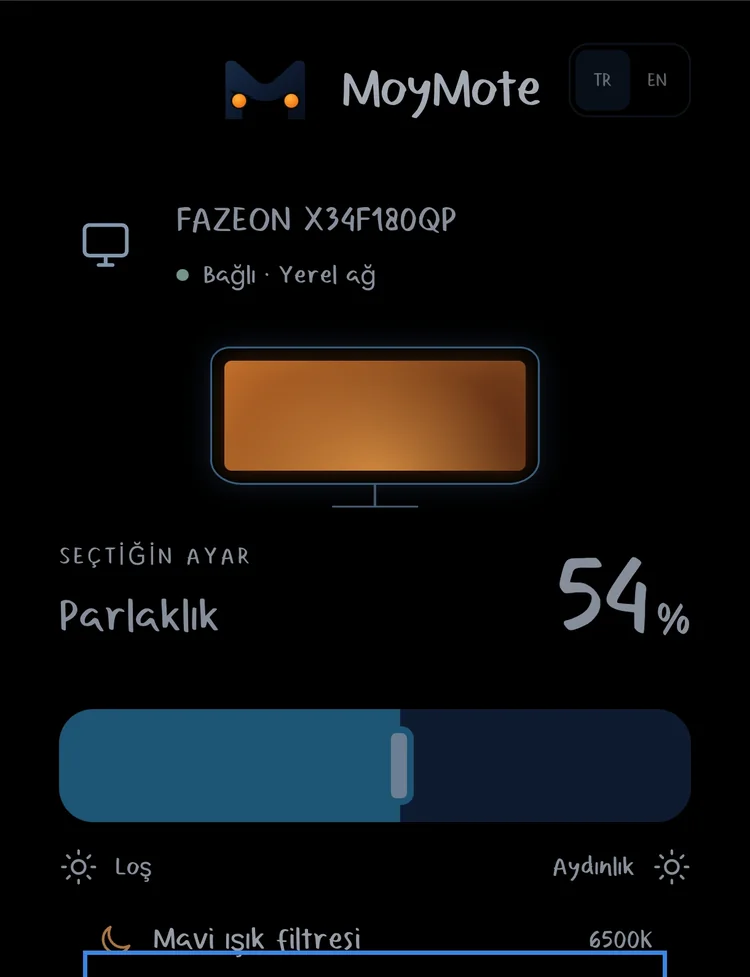
The same panel, from your phone
MoyMote's phone panel mirrors the desktop app on your local network — pick up your phone and the same controls are there.
- Responsive phone and desktop controls
- Monitor power control (turn the screen off, wake it from your PC)
- Speaker volume and mute, when your monitor supports it
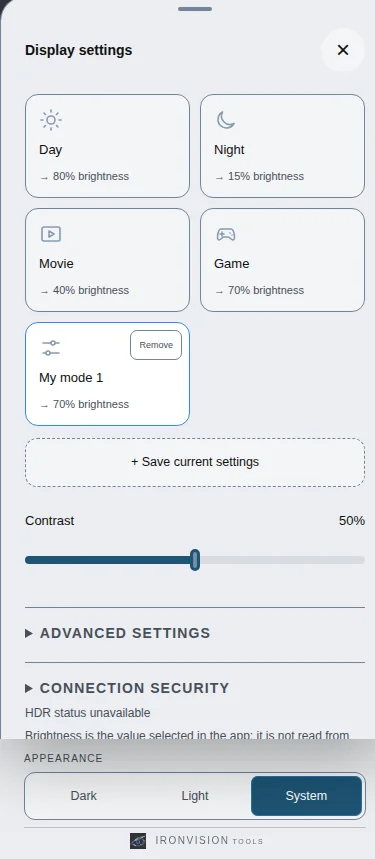
Save a mode once, reuse it forever
Day, Night, Movie and Game start you off — save your own combination of brightness, blue light and contrast as a custom mode in one tap.
- Built-in Day / Night / Movie / Game modes
- Unlimited custom saved modes
- One tap to switch, no retyping values
Works with supported external monitors
MoyMote uses DDC/CI. Available controls depend on the monitor, cable and connection type.
We don't publish a broad monitor brand compatibility list until it's verified — MoyMote has been tested against a Fazeon X34F180QP over DDC/CI. Laptop built-in screens generally don't expose DDC/CI, so MoyMote controls external monitors, not the laptop's own panel.
Local by design
No account required to use MoyMote.
Phone control runs on your local network only.
The QR link carries a device access key — treat it like a password.
We don't show access keys or full local addresses in our own screenshots.
One price, no subscription
One-time purchase on Microsoft Store. No subscription, no in-app purchases, no license codes.
- 7-day free trial before you buy
- Full desktop app + phone panel
- No ads, no account required
- $20 regular price once the introductory period ends
Frequently asked questions
What is DDC/CI?
DDC/CI is a standard that lets a computer send commands — brightness, contrast, input, power — directly to an external monitor over the video cable. MoyMote uses it to control your monitor from Windows and from your phone.
Does it work with a laptop's built-in screen?
MoyMote controls external monitors connected over DDC/CI. Laptop built-in screens generally don't expose DDC/CI, so MoyMote can't control them directly — Windows' own brightness controls still work for those screens.
Does it matter if I use HDMI or DisplayPort?
Both HDMI and DisplayPort can carry DDC/CI commands on supported monitors. MoyMote works over either connection, as long as your monitor exposes DDC/CI controls for that input.
Is any of my data collected?
MoyMote's phone control runs on your local network and doesn't require an account. See our privacy policy for the full details.
What if I want a refund?
MoyMote includes a 7-day free trial so you can test it on your own setup before buying. Purchases made through Microsoft Store follow Microsoft Store's standard refund policy.
How do I get support?
Write to us any time — see the support page for the contact form and our email address.
Put your monitor controls where they belong.
MoyMote is finishing up its Microsoft Store submission. Leave your email and we'll notify you the day it's available.